한국어
Classroom management · Windows · Mac · Android

See the whole class
on one screen.

DureClass is classroom management software for computer labs and smart classrooms. Monitor student screens in real time, share your screen, run polls and collect assignments from the teacher's PC.
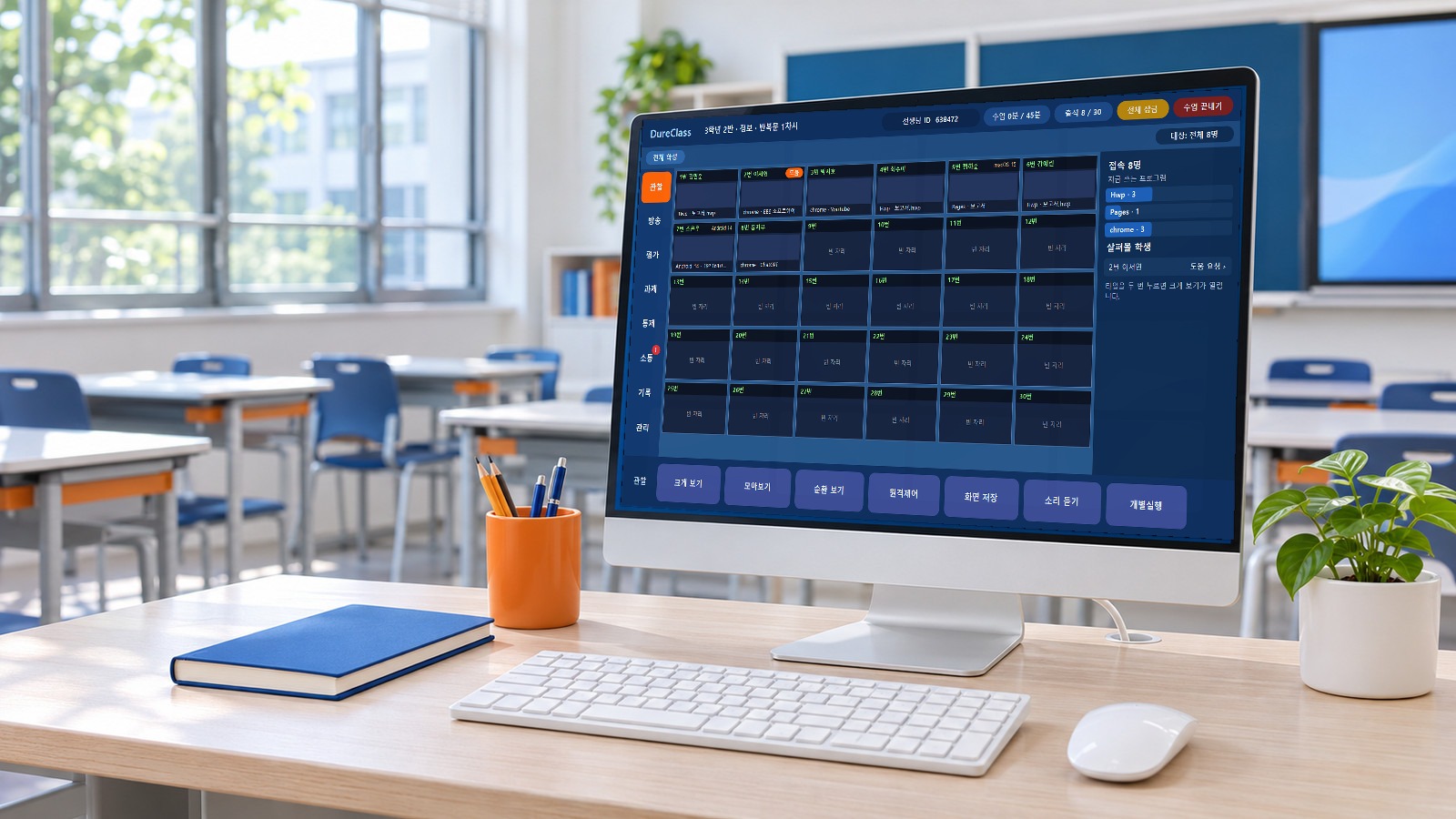
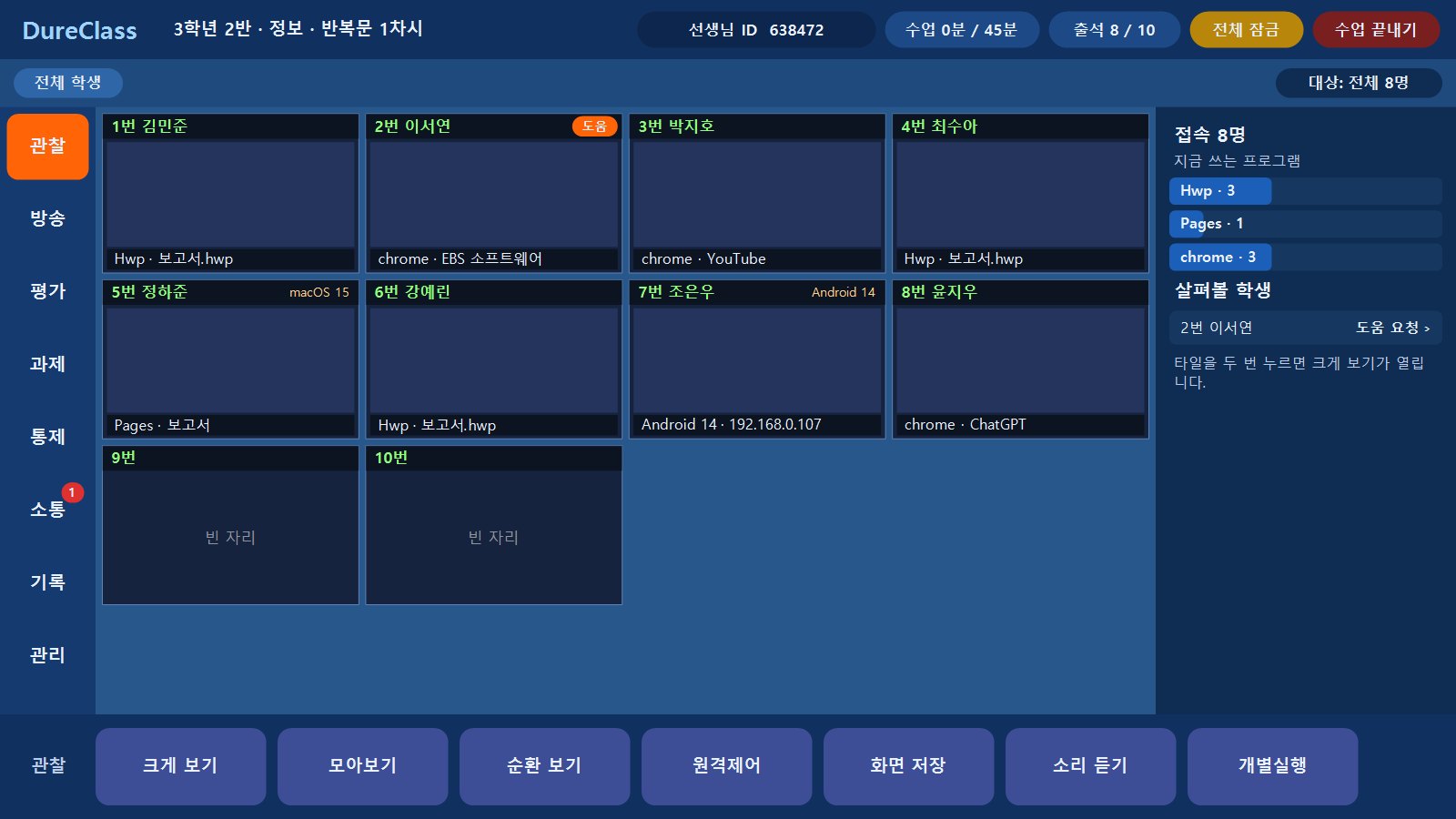
DureClass teacher dashboard showing 30 student seats
8 feature categoriesMonitoring, broadcasting, assessment, assignments, controls, communication, records and administration
54 featuresApply an action to the entire class or selected students
Student platformsWindows · macOS · Android · ChromeOS
iOS planned for a later release
One teacher IDStudents on the same network can connect automatically
About DureClass

Install the apps and start a lesson

The teacher app hosts the lesson. Students on the same network use the teacher ID to find the teacher's PC and join.

Host lessons on the teacher's PC

The teacher app runs the classroom server, so the school needs no separate server.

Connect on the same network

Students join with the teacher ID and attendance is recorded automatically. Teachers can also set a lesson password.

Encrypted connections

Screens and commands travel over an encrypted connection. The student app alerts users when the teacher PC changes.

Features

Eight categories for managing your class

Choose a feature category to see what it does and view the corresponding screen in the teacher app. The interface shown is in Korean.

Lesson flow

Before, during and after class

Find the tools you need at each stage of the lesson.

Before class

  • Set the lesson name, duration, late arrival threshold and password
  • Prepare lesson steps and run them with a click
  • Add files to the resource library ahead of time
  • Create groups or assign teams automatically

During class

  • Monitor all screens, view selected screens, cycle through screens or control a device remotely
  • Share the teacher's screen, broadcast a student screen, hand over presentation control or broadcast audio
  • Run polls, first-to-answer questions, comprehension checks and tests
  • Lock or blank screens, and restrict websites or applications

After class

  • End the lesson to clear restrictions and save records
  • Export attendance, polls, assignments, alerts and activity logs to CSV
  • Open the lesson report to print or save it as a PDF
  • Review previous lessons at any time
Student side

A simple student panel

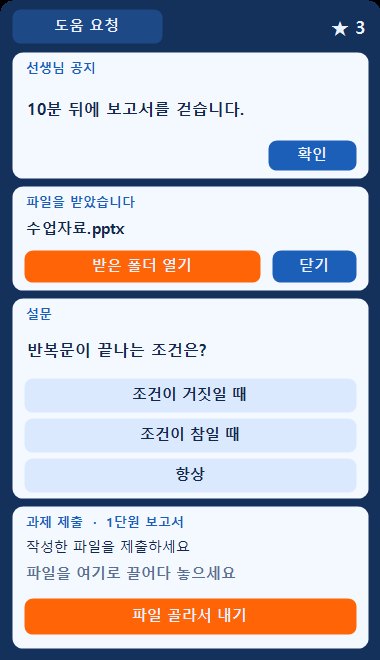
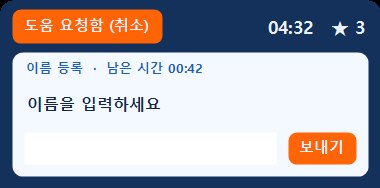
A compact panel on the student device collects announcements, questions, files and assignments. Students can request help with one click.

Student panel with announcements, received files, polls and assignments
Announcements, received files, polls and assignment submission
Student panel with name entry and timer
Name entry, timer and help requests
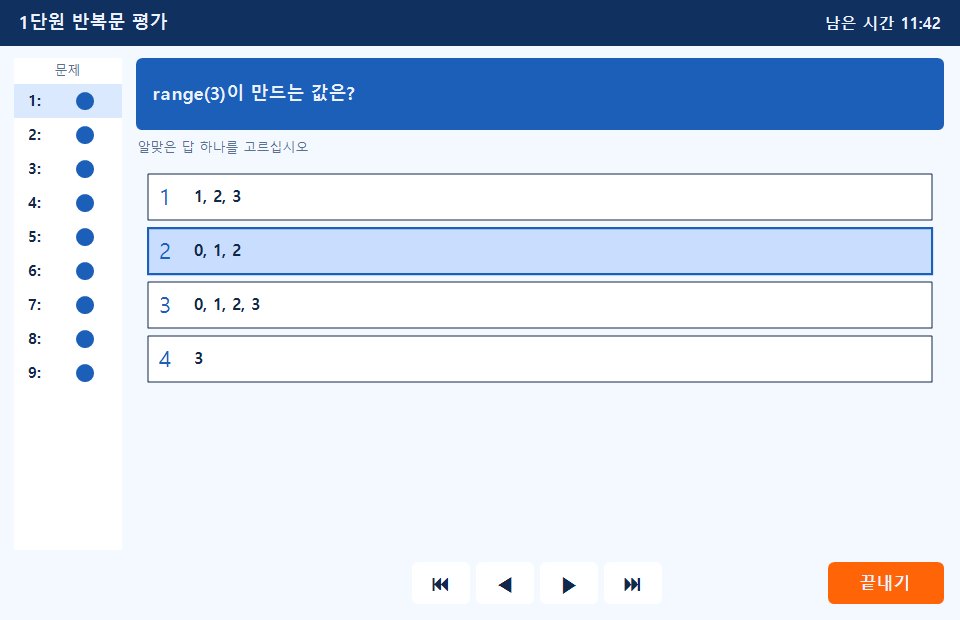
Student test window
Test questions and time remaining
Devices

Supported devices and planned platforms

The ChromeOS teacher and student apps will be available at launch. The iOS student app is planned for a later release.

App or featureWindowsmacOSAndroidChromeOS
TeacherSupported——Available at launch
StudentSupportedSupportedSupportedAvailable at launch
Remote controllerSupported—Supported on phones and tabletsDetails pending
Web restrictionsEdge · Chrome · Whale · FirefoxVaries by deviceVaries by deviceDetails pending
Block USB, webcams and printingSupported——Details pending
Videos

Watch DureClass in action

Watch the product overview and feature tutorials in Korean.

DureClass overviewSee the whole class on one screen.
Download

Downloads

Public downloads are being prepared. Request a classroom trial

The teacher PC and student devices join over the same network using the teacher ID. Check the macOS and Android guide for device permissions before setup.

Teacher app

Host lessons from the teacher's PC.

Windows · Coming soonChromeOS · Available at launch
Windows 10 · 11 / ChromeOS

Windows teacher app setup (Korean)

Student app

For student desktops, laptops and tablets.

Windows · Coming soonmacOS · Coming soonAndroid · Coming sooniOS · Planned for laterChromeOS · Available at launch
Windows 10 · 11 / macOS / Android

Windows setup (Korean) · macOS and Android setup (Korean)

Remote controller

Share screens, use annotation tools and run assistant-teacher commands from anywhere in the classroom.

Windows · Coming soonAndroid · Coming soon
Pair using the code shown in the teacher app

Remote controller setup (Korean)

Resources

Resources

Contact

See how DureClass fits your classroom

Tell us how many devices you use and which operating systems they run. We can help with installation and a trial.

Phone
+82 31-707-6954
Email
csmoon@t-soft.co.kr
Trial
Request a classroom trial
Pricing
Request a quote based on the number of classrooms and student computers.
Company
TSoft Co., Ltd. · t-soft.co.kr